
Seven shelves, zero setup
HTML, Markdown, Word, PDF, JSON, text and CSV. Plus Favorites, Summaries, File Explorer and Categories. Drag them into your own order.
Private · Offline · Yours
Now available on iPhone, iPad and Mac.

iPhone and iPad with iOS 18 or later. Mac with macOS 15 or later.
iPhone · iPad · Mac
A private, offline library for HTML, Markdown, PDF, Word, JSON, CSV and text, on iPhone, iPad and Mac.
From the nest
Real reviews from the App Store, word for word.
DocStoked 🇺🇸
★★★★★Great app!!! Just what I needed
“I’m glad someone finally made this and love how simple it is to use. Also LOVE it’s not a subscription!!!!”
Rokita V 🇲🇽
★★★★★Wow I love it, it’s so useful!
“Love being able to run heavy html files, really cool themes and pet. Really awesome app for vibe coding and saving files. Love that it can be completely offline cos I’m constantly off the grid. Note: There’s a small bug with a few buttons, had to DRAG & DROP instead, but I am sure fix is coming next update”
Developer reply · Sep 4
Bug’s been squished! Thank you for your trust! Keep vibing
87Lakers 🇺🇸
★★★★★Fabulous AI tool
“Exactly what I needed as far as features in an AI files/HTML viewer”
Niki-1337 🇺🇿
★★★★★Давно искал такое!
“Спасибо разработчикам за ваш труд, давно искал программу для открытия и просмотра html json, md файлов. Рекомендую!”
Translated from Russian
Been looking for this for a long time! “Thanks to the developers for your work. I’ve been looking for a long time for a program to open and view html, json and md files. I recommend it!”
Meet Viby Owl and his nest
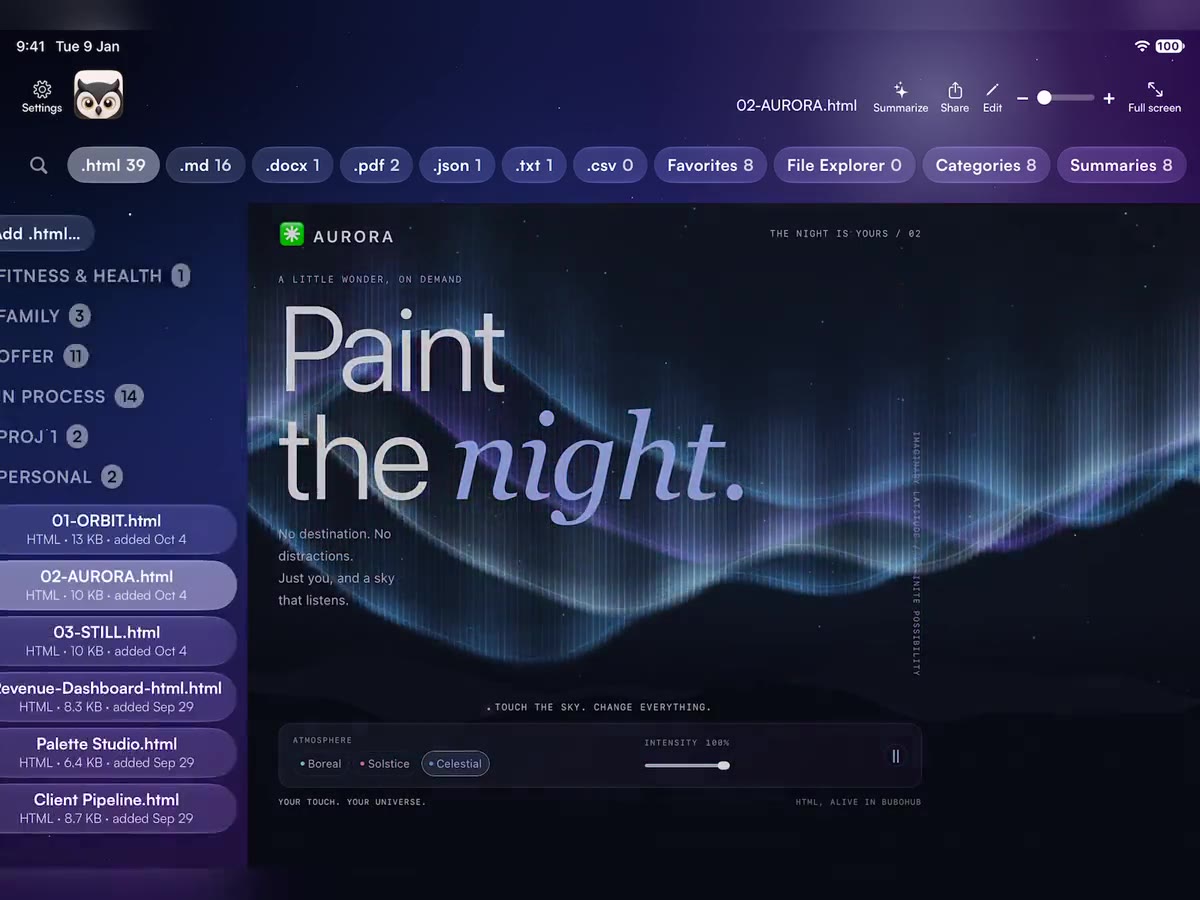
AI chat tools hand you working single-file HTML now — calculators, dashboards, planners, generators. Most apps show you the source code. BuboHub runs the page.
Open it. Use it fullscreen. Then edit it — visually, or straight in the source. Buttons work. Forms work. Sliders slide. If the page has a print button, it prints.
A place for everything
Every file type gets its own shelf: HTML, Markdown, Word, PDF, JSON, text and CSV. Star what you use most and it shows up in Favorites. Drag the shelves into whatever order fits how you work. Nothing to set up. Add a file and it lands where it belongs, with a live count on the tab.
Then make categories — little baskets that cut across every shelf. School. Work. Weekend chaos. Mix a PDF, three notes and an HTML tool in one place.

Built around your library
Private. Portable. At home on all three.
HTML, Markdown, Word, PDF, JSON, text and CSV. Plus Favorites, Summaries, File Explorer and Categories. Drag them into your own order.
Buttons, forms, links, sliders and print controls work. Your file opens as a real page, not a source dump. Sound plays, print works, and a page can save a file it made.
Summarize any HTML page, Markdown, JSON, text or PDF with Apple Intelligence, right on your device. Summaries land on their own shelf. Needs iOS 26, iPadOS 26 or macOS 26.
Read Markdown, text and JSON like a book. Slide to turn the page on iPhone and iPad. Click the edges or use the arrow keys on Mac.
Visual editor and source editor for HTML. Markdown, text and JSON edit inline.
Baskets that cut across file types. Group anything with anything.
Browse folders and preview what's there, including videos. Nothing is copied until you choose Add to Hub.
Links open in a private viewer with no history kept when it closes. You can use your external browser instead.
Save your files, stars and shelf order as a single `.bubohub` backup. Portable, and yours.
Seven themes: Cozy Nest, Twilight, Full Day, Dark Night, Space, Red Mode and Serious. Adjustable text size and library-wide search. A home-screen widget on iPhone.
Privacy, by architecture
BuboHub has no login and no servers of ours. Your library lives on your device. Want it on your other devices too? Turn on iCloud sync. It's off until you switch it on, and it runs through your own iCloud, not ours. No ads, no analytics, no tracking.
Read the full privacy policy
Portable on purpose
Save your files, stars and shelf order as a single .bubohub file, in one portable backup you keep.
Opening a .bubohub restores that backup and replaces whatever is currently in the nest, so keep your latest one somewhere safe before you switch devices. Folder shortcuts from File Explorer stay on the device that made them and don't travel in the backup.
With iCloud sync on, changes show up on another device the next time BuboHub opens there. It isn't instant while both apps are open. Export a backup now and then.